
A booking system should do more than put a calendar on your website.
The useful test is whether it can take a real customer request, find a genuinely workable appointment, confirm it, keep the schedule current, and carry the booking through the steps that follow, without creating another layer of admin for your team.
That distinction matters for appointment-led businesses in Malaysia, where customers may book through WhatsApp, a phone call, a website link or directly with staff. If those routes do not share the same scheduling logic, the business can end up with a digital booking page sitting on top of a very manual operation.
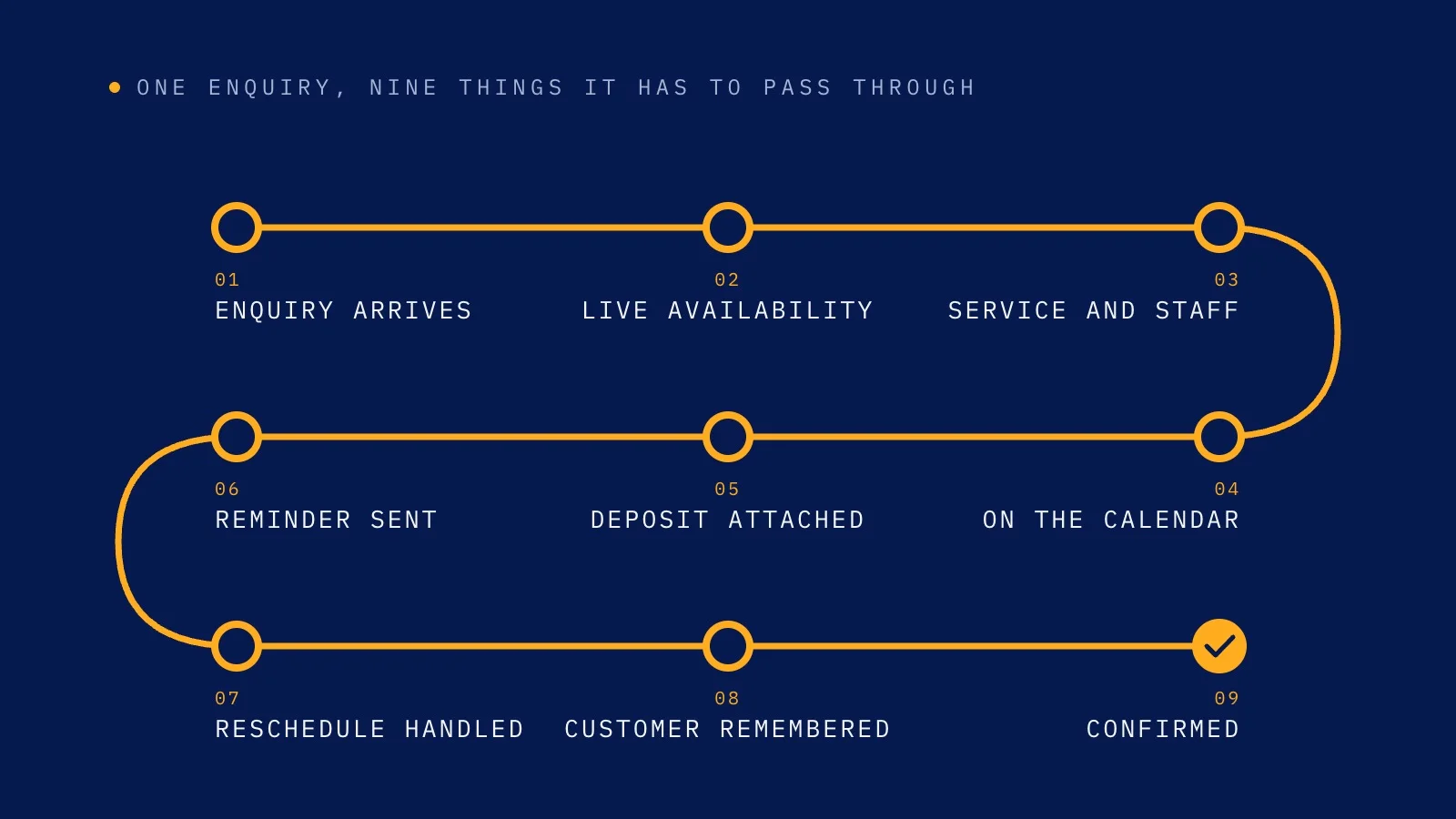
Before choosing a booking system, test these nine things.
1. Does it show only times that are genuinely bookable?
A calendar can show empty space without knowing whether that space can actually be used.
A real appointment may depend on:
- service duration
- branch or location
- eligible staff
- staff leave or working hours
- buffers between appointments
- existing calendar commitments
- room or resource constraints
If the system presents a time first and asks a staff member to verify it later, the customer has not really booked yet.
Test it: choose a service with specific timing or staff rules and see whether the system filters the available times before the customer reaches confirmation.
A strong booking system should only offer a slot when the underlying rules agree.
2. Do all booking channels use the same live schedule?
Many service businesses do not have one booking route.
A customer may:
- message on WhatsApp
- call the business
- use an online booking page
- ask a staff member directly
That is fine.
The problem starts when each route behaves like a separate calendar.
For example, a customer books 3:00 PM by phone, but WhatsApp and the online booking page still show 3:00 PM as open.
Now the business does not have multiple booking channels. It has multiple versions of availability.
Test it: make a booking through one channel, then immediately check the same time through another channel.
The slot should disappear or update everywhere that uses the shared schedule.
For Malaysian businesses that rely heavily on WhatsApp, this is especially important. WhatsApp booking should not become a separate diary that staff has to reconcile with the website later.
3. Does the system understand the work behind each appointment?
Not every appointment is interchangeable.
A 15-minute follow-up and a 60-minute initial consultation should not behave like the same block of time. A service offered only at one branch should not appear everywhere. A practitioner should not be offered for a service they do not provide.
A useful booking system should understand the rules that make the appointment valid before it presents the customer with a choice.
Test it: create services with different durations, eligible staff or branches and check whether those rules shape what the customer can book.
If staff still has to manually inspect each request to decide whether it works, the booking system is only collecting requests.
4. Does the booking end in a confirmed appointment?
One of the easiest booking flows to mistake for automation looks like this:
- Customer chooses a service.
- Customer chooses a date and time.
- Customer enters their details.
- Customer taps Confirm.
- The business says, “We’ll WhatsApp you to confirm your appointment.”
The customer completed the form, but the appointment still depends on someone checking the diary and replying later.
That can be appropriate for some specialised or clinically sensitive appointment types, but it should be an intentional rule, not the default result of a weak booking system.
Test it: complete a normal self-bookable appointment from start to finish.
At the end, is the appointment actually on the live calendar, or has the system simply created a request for staff to process?
5. Can deposits or prepayment stay attached to the booking?
For businesses that use booking deposits, the payment should not become a separate manual process.
A common workflow is:
- customer chooses a slot
- staff sends bank details or a payment link
- customer sends proof of payment
- staff checks the transaction
- staff updates the booking manually
That creates extra work and makes it harder to know whether the appointment is actually secured.
Test it: if your business requires a deposit, check whether the system can request it at the right point and keep the payment status attached to the same appointment.
You should be able to tell whether the booking is paid, awaiting payment, expired or refunded without reconstructing the story from chat messages.
6. Can customers reschedule or cancel without breaking the calendar?
The booking journey does not end when the appointment is created.
Customers change plans.
A useful system should be able to keep the schedule accurate when someone reschedules or cancels, rather than making staff rebuild the appointment by hand.
Test it: move an existing appointment to another valid time.
Check whether:
- the original slot becomes available again
- the new slot becomes occupied
- the customer record stays connected
- any applicable reminders update
- the team sees the current appointment, not two conflicting versions
The system should treat changes as part of the booking lifecycle, not as exceptions outside it.
7. Are reminders connected to the confirmed appointment?
A reminder is only useful if it knows what it is reminding the customer about.
If staff has to maintain a separate reminder list, copy appointment details into another tool or manually chase confirmations, the operation is still fragmented.
Test it: create a booking and inspect what happens before the appointment.
Can the system send the configured reminder using the correct date, time and customer context? If the customer asks to change the appointment from the reminder, does that request return to the scheduling flow?
The best reminder workflow does not create another inbox for staff to manage.
8. Does the customer context stay with the appointment?
Booking systems often focus so heavily on the calendar that they lose the customer around it.
But the team may need to know:
- who the customer is
- what they booked previously
- their usual branch or practitioner
- relevant administrative notes
- whether they have an upcoming appointment
- what happened in the conversation that led to the booking
Test it: look at a returning customer.
Can the team understand the booking in context, or does every new appointment look like a completely new person?
A calendar manages time. A useful customer operation should preserve enough context to avoid making regular customers start from zero each time.
9. Can staff step in without losing the thread?
Automation should not mean every conversation must stay automated.
Some situations need a person: unusual requests, exceptions, sensitive questions, unclear customer intent or anything outside the approved administrative workflow.
The important question is whether staff can take over with the context already visible.
Test it: create a booking conversation that requires human help.
Can a staff member see what the customer asked, what has already been confirmed and what still needs action?
A good handover should continue the same journey. It should not force the customer to explain everything again.
The fastest way to evaluate a booking system
You can turn the nine checks above into one simple test.
Take a normal appointment and follow it from beginning to end:
Customer intent → valid availability → selection → confirmation → payment if required → calendar → reminder → change if needed → staff visibility
At every stage, ask two questions:
- Does the customer know what happens next?
- Does the team have to manually recreate information the system already has?
If the customer keeps hitting dead ends, the booking journey is weak.
If the team keeps copying, checking and reconciling information behind the scenes, the automation is shallow.
Booking-system red flags to watch for
A few signs should make you look more closely:
- slots are shown before staff availability is checked
- the website, WhatsApp and phone bookings use separate schedules
- every online booking still needs manual confirmation
- deposits are tracked in chat screenshots or spreadsheets
- reschedules create duplicate or stale appointments
- reminders depend on staff remembering to send them
- returning customers have to repeat basic booking context
- staff cannot see the conversation behind an appointment
- the system looks automated to the customer but creates more admin for the team
None of these automatically means the software is unusable. Different businesses need different controls.
But each one is a sign that the system may be digitising part of the journey without actually connecting the operation behind it.
What this looks like in a Malaysian service business
For many Malaysian businesses that take bookings or appointments, WhatsApp is not a side channel. It is part of the normal customer journey.
A customer may ask:
- “Saturday afternoon got slot?”
- “Can change to 4pm?”
- “Tomorrow can?”
The booking system should be able to turn that everyday behaviour into a valid scheduling action without forcing the business to maintain one process for WhatsApp and another for its online calendar.
That is why channel integration matters as much as the booking page itself.
The front end can look clean while the operation behind it is still disconnected.
Where Watson fits
Watson treats scheduling as the engine behind multiple booking routes rather than as a standalone calendar page.
Its appointment scheduling system applies service duration, branch, eligible staff, buffers and live calendar conflicts before offering a time. WhatsApp, calls and the online booking page use the same live schedule, while deposits, reminders, reschedules and cancellations remain connected to the appointment.
The online booking page is designed to end in a confirmed visit rather than a request that staff has to process later.
For businesses comparing options, the useful question is not simply whether a platform has a booking page.
It is whether the system can carry the appointment from customer intent to a confirmed, current and manageable booking.
You can explore Watson’s Appointment Scheduling and Online Booking Page to see how those pieces connect.
Choose the system by the journey, not the feature list
Most booking platforms can show a calendar.
The harder part is everything around the calendar.
Does the slot actually work? Does every channel agree? Does the appointment confirm without staff rebuilding it? Does the payment stay attached? Do changes update the schedule? Do reminders and customer context stay connected?
That is the difference between having booking software and having a booking operation that genuinely removes work.
Before you choose a system, run the journey yourself.
The number of manual steps left after the customer starts booking will tell you more than the feature list ever will.
Ask Watson anything a customer would ask you
Watson answers the calls, books the appointments and follows up afterwards. Put it through whatever your front desk gets asked.